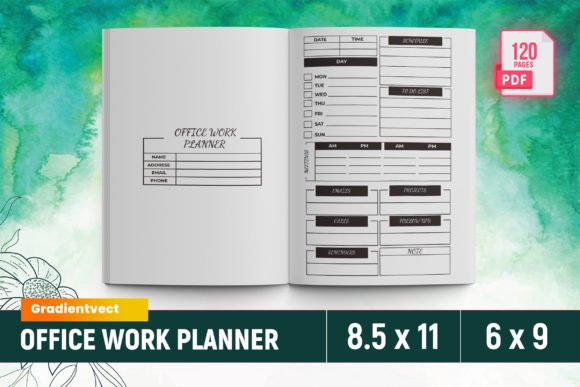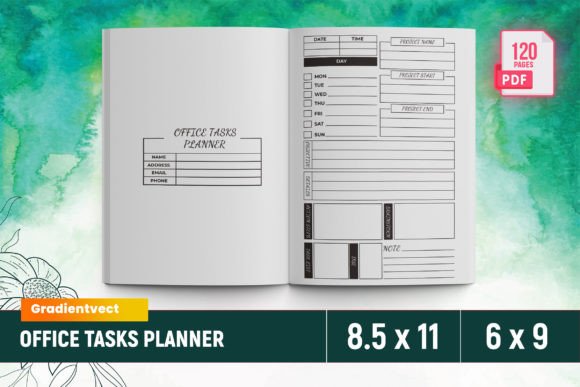
Office Work Planner Canva KDP
Imagine launching a professional, high-conversion planner on Amazon KDP—without designing from scratch, without wrestling with bleed settings, and without waiting weeks for test prints. That’s the reality with the Office Work Planner Canva KDP: a ready-to-upload, fully tested interior template built for creators who value precision, speed, and polish.
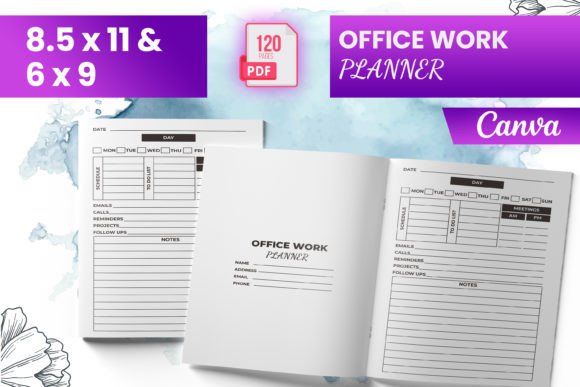
This isn’t just another PDF download. It’s a production-ready toolkit—120 pages of structured, functional layouts designed specifically for office professionals, remote teams, project managers, and solopreneurs who need clarity, not clutter. Every page serves a purpose: tracking deadlines, logging calls, capturing meeting minutes, planning weekly sprints, or managing client follow-ups—all while meeting Amazon KDP’s strict print specifications.
What Makes This Planner Stand Out?
First, it’s bleed-ready. No guesswork. No last-minute cropping errors. The interior files are pre-structured at standard US letter size (8.5 × 11 inches) and include 6 × 9 and 7 × 10 inch variants—so you can publish across multiple formats without redesigning. Each file was stress-tested on Kindle Direct Publishing to ensure margins, fonts, and image resolution meet Amazon’s quality bar.
Second, it’s editable in Canva—no design software required. Whether you’re adding your brand colors, swapping icons, or inserting custom headers, you maintain full control. And because it includes both PNG and JPG source files, you can easily adapt visuals for social previews, sales pages, or email campaigns.
Third, it’s deeply practical—not decorative. The layout logic mirrors real office workflows: a dedicated section for lead follow-up sits beside a customer feedback log; the work project plan flows into the meeting minutes page; the contact list integrates seamlessly with the appointment schedule. Nothing is arbitrary. Everything connects.
Creative Possibilities—Beyond the Default
While the template ships with January–December monthly spreads and daily/weekly planners, its real strength lies in how easily it adapts to niche audiences and evolving needs.
- Freelancers can rename “Work Project Plan” to “Client Pipeline Tracker,” add rate columns, and insert invoice due dates next to deadlines.
- Educators or trainers might repurpose the “Meeting Minutes” page as “Workshop Notes,” embedding reflection prompts and participant feedback fields.
- Marketing teams can convert the “Calls List” into a “Outreach Log,” adding columns for channel (email/LinkedIn/call), response status, and next-step triggers.
- Small business owners often layer the “Order Form” and “Customer Feedback” pages into a single operational dashboard—linking fulfillment timelines directly to satisfaction scores.
You’re not locked into the original structure. Because the Canva file is layered and labeled clearly, swapping sections—or duplicating and renaming them—is intuitive. Want a “Team Handoff Checklist” before each weekly planner? Add it. Need a “Tool & Resource Index” in the back? Insert it. The framework supports iteration, not rigidity.
How to Keep Your Version Clear, Consistent & Audience-Friendly
Clarity starts with restraint. Resist the urge to over-customize every page. Instead, focus edits where they impact usability most: header hierarchy, spacing between input fields, and consistent iconography. For example, if you use a calendar icon for appointments, use it everywhere—not a clock on one page and a date badge on another.
Consistency also means respecting the grid. The original template uses a clean, open layout with generous white space—critical for handwritten notes or digital annotation. When adding branding elements, keep type sizes legible (11 pt minimum for body text), align all left-justified fields to the same margin, and avoid overlapping text boxes that could shift during KDP’s PDF flattening process.
Audience-friendliness means anticipating how people actually use planners. A busy HR manager won’t flip to page 87 for a contact list—they’ll want it up front, with quick-sort fields like “Department” or “Urgency Level.” A remote developer may skip daily time blocks but rely heavily on the “Work To-Do List” with priority tagging and sprint alignment. Let user behavior—not aesthetics—guide your adaptations.
Real-World Use Cases That Convert
One small marketing agency used this Office Work Planner Canva KDP interior to launch a branded “Client Ops Planner”—positioned exclusively for service-based freelancers. They kept the core structure intact but added their logo to every header, replaced generic “Project Name” labels with “Client + Project Phase,” and embedded short best-practice tips in the margins (“Tip: Block 15 mins post-call to update lead status”). Result? 42% repeat buyers in Q1.
A freelance operations consultant adapted the “Monthly Overview” into a “Team Capacity Dashboard,” integrating RACI roles and sprint health metrics. She sold it as a companion tool to her Notion course—and saw a 30% lift in course upsell conversions.
Even educators found unexpected utility: a university career center reformatted the “Lead Follow-Up” section into a “Student Internship Tracker,” adding fields for employer contact, application deadlines, and interview outcomes. Printed and distributed during advising sessions, it became a tangible touchpoint—reinforcing accountability and follow-through.
Why This Works for Your Next KDP Launch
If you’ve tried building a planner from scratch, you know the hidden costs: font licensing checks, bleed line troubleshooting, KDP preview errors, and formatting inconsistencies across devices. The Office Work Planner Canva KDP eliminates those friction points—not by limiting creativity, but by removing technical roadblocks so you can focus on what matters: solving real problems for real people.
It’s built for scalability. Upload once, iterate endlessly. Test a version with minimalist lines for creatives, then launch a bold, color-coded variant for corporate trainers—all from the same base file. And because it includes intro pages and section dividers, your final product feels cohesive, not stitched together.
Most importantly, it respects your audience’s time. In an era of notification overload and fragmented attention, a well-structured office planner isn’t nostalgic—it’s strategic. It gives people back control, reduces cognitive load, and turns intention into action—one scheduled call, one tracked deadline, one captured idea at a time.
So whether you're launching your first KDP planner or refining your tenth, start with a foundation that works—then make it unmistakably yours.