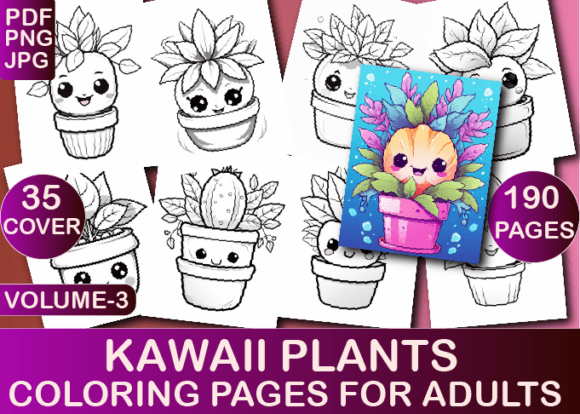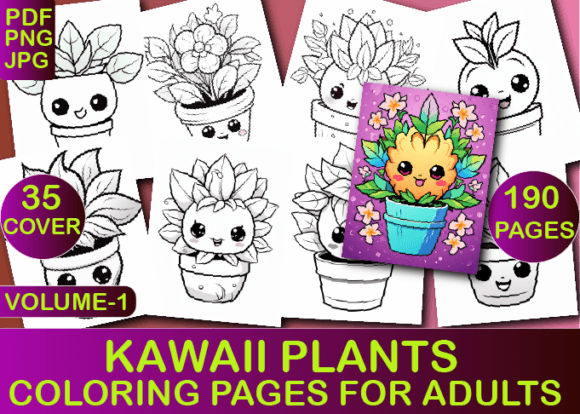
Kawaii Vegetables Coloring Book
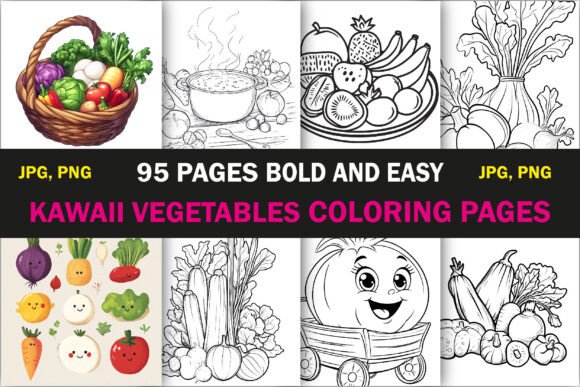
The Kawaii Vegetables Coloring Book is not just another low-content interior—it’s a purpose-built creative asset designed for real-world execution. Built for adults who value both aesthetic appeal and operational efficiency, this 95-page bundle merges kawaii charm with functional design logic. Each illustration is hand-drawn, intentionally bold, and optimized for clarity—no fine linework that blurs on print, no overlapping elements that confuse the eye. It’s built to work within existing workflows, not disrupt them.
Where It Fits in Your KDP or POD Workflow
If you’re launching or scaling an Amazon KDP business—or expanding into print-on-demand (POD) platforms like Etsy, Redbubble, or Printful—the Kawaii Vegetables Coloring Book slots in at a precise point: the interior asset layer. Before uploading to KDP, you need print-ready, compliant files. After finalizing your cover design and metadata, this bundle delivers the interior content instantly—tested, sized correctly (8.5″ × 8.5″), and formatted for KDP’s requirements. No resizing. No bleed adjustments. No trial-and-error uploads.
That means less time troubleshooting file errors and more time iterating on high-impact tasks: optimizing your book description, refining keyword targeting, testing ad copy, or analyzing category placement. The bundle’s compatibility isn’t theoretical—it’s verified. Every PDF has passed KDP’s preflight checks. Every JPG and PNG retains crisp contrast and clean edges at standard print resolution. That consistency reduces revision cycles and supports predictable launch timelines.
How It Integrates With Your Creative and Business Systems
You don’t need to be an illustrator or designer to use this effectively—but you do need to understand how it connects to your broader toolset. If you use Canva for cover mockups, the 8.5″ × 8.5″ dimensions align directly with Canva’s custom template settings. If you rely on Adobe InDesign for interior layout, the high-resolution PNGs import cleanly without pixelation or compression artifacts. And if you batch-process interiors using scripts or automation tools (e.g., Python-based PDF mergers), the uniform naming convention (e.g., “kawaii-carrot-01.png”, “kawaii-tomato-02.png”) supports sorting, tagging, and version control.
For educators or wellness professionals repurposing content, these pages function as standalone activity exercise worksheets. A nutrition coach might pair page #37 (a smiling bok choy with heart-shaped leaves) with a lesson on cruciferous vegetables. A mindfulness facilitator could embed one image per session handout—using the bold outlines to support focused attention without visual fatigue. Because each design is unique and vegetable-specific—not generic clipart—the thematic coherence adds subtle credibility to supporting materials.
Preparation and Quality Control in Practice
Preparation starts before download. Review the file list: 95 JPGs, 95 PNGs, and one high-quality PDF. Use the JPGs for quick previews or thumbnail generation. Reserve PNGs for layered edits—say, adding a subtle watermark or overlay text in Photoshop. Rely on the PDF for direct KDP upload unless your workflow requires splitting pages across multiple files (e.g., for split-run testing different interiors).
Quality control happens in two phases. First, verify output fidelity: open the PDF in Adobe Acrobat (not a browser viewer) and zoom to 200%. Check line weight consistency—no strokes thinner than 1.5 pt, no unintended gaps in closed shapes. Second, test print a sample page on your home printer using standard 24 lb. paper. This reveals how contrast holds up outside of screen rendering and confirms that shading areas (where present) won’t fill in unintentionally.
Long-term usability depends on organization. Create a dedicated folder labeled “Kawaii Vegetables – KDP Interiors” and subdivide by format. Name files consistently—even if KDP only needs the PDF, keeping source assets well-labeled supports future reuse: bundling with other kawaii-themed interiors, creating themed social media carousels, or building seasonal promotions (e.g., “Spring Veggie Bundle” combining this set with a kawaii herb or salad-themed pack).
Implementation Tips for Different Roles
For KDP Publishers: Upload the PDF as your interior, then use the JPGs to generate Amazon A+ Content visuals—showcasing actual interior pages in your product gallery increases conversion. Pair the bundle with a short, benefit-driven subtitle: “95 Bold & Easy Kawaii Vegetables Coloring Pages for Stress Relief, Mindful Focus, and Joyful Creativity.” Avoid vague terms like “fun” or “cute”—instead, anchor language in outcomes your audience seeks: focus, calm, simplicity, visual satisfaction.
For Freelancers and Designers: Treat this as a modular component. License the bundle for client projects where speed-to-deliver matters—like a wellness brand launching a limited-edition self-care kit. You retain full commercial rights per the license, so you can include pages in client deliverables without attribution. Just ensure final output complies with KDP’s content guidelines (e.g., no third-party trademarks embedded in the drawings—these are original, so no risk here).
For Educators and Coaches: Use individual pages as tactile reinforcement tools. Print page #12 (a cheerful eggplant wearing sunglasses) during a session on antioxidant-rich foods. Let participants color while discussing phytonutrients—engagement rises when hands are active and eyes aren’t fixed on screens. The bold lines reduce motor strain, making it accessible across age ranges and dexterity levels.
For Marketers and Bloggers: These illustrations convert well in lead magnets. Offer “5 Free Kawaii Vegetable Coloring Pages” as a signup incentive—pull from the first five files, rename them clearly, and link to your email list. Track downloads and follow-up engagement. You’ll quickly learn which vegetables resonate most (carrots and avocados typically outperform okra or kohlrabi in open rates)—informing future bundles or themed content series.
Efficiency Gains You Can Measure
Time saved isn’t abstract—it’s quantifiable. One creator reported cutting interior prep time from 3.5 hours to 12 minutes per title after adopting this bundle. That’s not just faster uploads; it’s more titles launched per quarter, more data collected on what sells, and more bandwidth to refine backend systems—like automating royalty tracking or A/B testing pricing tiers.
Consistency compounds. When your coloring book interiors share the same visual language—rounded forms, expressive faces, balanced negative space—readers begin recognizing your brand even before seeing your name. That builds trust across listings and supports cross-promotion. Launch a kawaii fruit bundle next? Customers who bought the vegetable edition will recognize the style and convert faster.
And because every design is unique and hand-drawn, there’s zero risk of duplicate content flags or copyright challenges—critical for long-term KDP health. You’re not reselling recycled assets; you’re deploying original, owned creative infrastructure.
Moving Forward With Intention
The Kawaii Vegetables Coloring Book works best when treated as part of a system—not a one-off purchase. Use it to accelerate validated steps in your process, not to skip foundational ones. Test your cover + interior combo on Kindle Previewer before publishing. Monitor early reviews for feedback on paper contrast or line clarity—and keep notes for future iterations. Reuse successful pages across formats: turn a popular beet illustration into an Instagram Story sticker, or adapt its composition for a printable planner icon.
This isn’t about filling a slot. It’s about reinforcing reliability—delivering what buyers expect (bold, joyful, easy-to-color) while giving you what you need (compatibility, speed, scalability). When your tools align with your goals—not just your calendar—you stop managing tasks and start building momentum.